ABOUT

Quest Analytics is a healthcare technology company specializing in provider network management solutions for health plans, health systems, and regulatory agencies. With over 20 years of industry experience, their cloud-based platform — Quest Enterprise Services (QES) — helps organizations measure, manage, and optimize provider networks while maintaining compliance with federal and state regulations. Their tools cover everything from network adequacy and data integrity to competitive insights and sales efficiency. Trusted by 90% of U.S. payers and more than 30 federal and state regulatory partners, including CMS, Quest Analytics is a leading force in making healthcare networks more accurate, accessible, and effective for communities nationwide.
ROLE
Product Designer: Champion system, define the language, principles of the system, guide design team, and align the vision throughout the company.
Tools: Figma, FigJam, Claude Code, Storybook
Skills: Design system, UI/UX, Composition, Interaction Design, Design Standards, Atomic Design, Whiteboarding, Information Architecture, Prototyping, Typography, Product Design Thinking, Competitive Analysis, Contextual Inquiry, Data Analysis: Quantitative and Qualitative, Journey Mapping, Card Sorting
Design System
AUDITING
Quest's platform encompasses a wide range of interconnected products — from Adequacy and Accuracy to Reporting, Terminations, and Provider Claims Insights.
Before building the design system, I wanted to understand the full landscape, so I worked with our lead front-end developer to audit our existing products to identify both repeating patterns and inconsistencies that had crept in over time. I then put them all into categories to be consolidated and standardized. Working closely with my team, we scoped out what the design system needed to cover and used an effort-versus-impact analysis to determine where to focus first.


The Problem
After looking into the code and the contents of all of our projects, I discovered a lot of similar colors, duplicating elements, not scalable and nonresponsive grids and layouts. After talking to the developers, I was surprised that they were using the color picker sometimes to get attributes from the design.
41
122
Unique Buttons
Unique Colors
297
Unique Icons
The Goals
10
50
57
Unique Buttons
Unique Colors
Unique Icons
Alignment:
A design system that responds to the needs of all platforms. Drives product alignment.
Speed:
The design system provides a shared library of reusable components and guidelines. Building products becomes much faster.
Time:
As building products becomes faster, developers and designers gain time they can invest in other areas.
Federated Design System Team Model
Given the scale and complexity of Quest's platform, I chose a federated model to ensure the design system could grow without becoming a bottleneck. This approach allowed a core team to own the foundations while embedded contributors from each product team maintained flexibility and ownership over their specific needs.
0
4
Product Managers
Designers
Resources didn't allow for a product manager to be part of this. We acted as our own product manager.
To define the visual elements of the system and provide assets to developers.

1
Developer
To create modular, efficient code in Storybook and ensure design system conforms to WCAG requirements.
Competitive Analysis
RESEARCH


Material by Google, Atlassian, Goldman Sachs, and many more
The Process
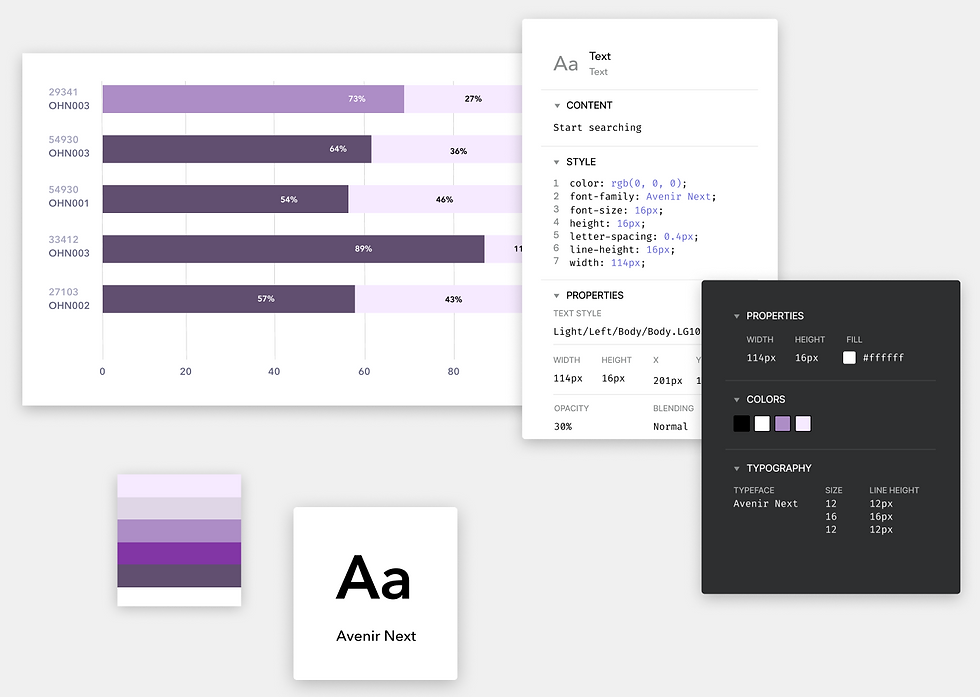
The design team first works on developing out the fundamentals of the design system - colors, fonts, and other components that support the overall implementation. After that, they design specific elements and components that will make up the front end.
The developers then take these and create a component library - common technical elements that will be used across the platform. Once these are in place, it will be simple to update the component library and have those changes reflected quickly across the entire site and application.

Core work: Component Building, Design Tokens, Auto Layout, Documentation, Theming, Auditing, Prototyping
Responsive chips made with autolayout in Figma to keep components flexible.


The design team first works on developing out the fundamentals of the design system - colors, fonts, and other components that support the overall implementation. After that, they design specific elements and components that will make up the front end.
The developers then take these and create a component library - common technical elements that will be used across the platform. Once these are in place, it will be simple to update the component library and have those changes reflected quickly across the entire site and application.

The source of truth. A place for the design team to plan and track progress of the design system. This is where we converted components into tasks for completion by the dev team.

"It wasn't hard to get them to follow the guidelines, it was hard to get them to agree on the guidelines."
Lori Kaplan - ATLASSIAN
Molecules
Combinations of two or more atoms that together form a simple, functional unit. They have a specific purpose but are still relatively simple: a search bar (input + button + icon), a form field (label + input + error message), a card header (avatar + text)
Building Quest Analytics with Atomic Design System

METHODOLOGY
Atoms
The most basic, indivisible building blocks of the UI. These are single-purpose elements that can't be broken down further without losing their meaning: buttons, input fields, icons, labels, checkboxes, color styles, typography styles
Organisms
More complex components made up of molecules and/or atoms grouped together to form a distinct section of a UI. They're closer to real, recognizable interface patterns: a navigation bar, a data table, a form, a modal dialog


Design System Insights
WHAT WE LEARNED
-
There is no "one-size-fits-all" design system.
-
Too many choices may lead to inconsistencies.
-
The design system should live in a source control repository independent from your main codebase.
-
Design systems won't be perfect, and that's okay.
-
Presentation and documentation help to make sure everyone is on the same page.
-
Build design systems with modularity in mind.
TO BE CONTINUED...
The goal was never just to build a component library — it was to create a living system that teams could trust, contribute to, and scale with over time. By establishing a single source of truth for design across all of Quest's products, the design system brings consistency and clarity to every product and page, while remaining flexible enough to adapt as the platform grows.